- Registriert
- 11 Juli 2008
- Beiträge
- 700

Folge dem Video um zu sehen, wie unsere Website als Web-App auf dem Startbildschirm installiert werden kann.
Anmerkung: Diese Funktion ist in einigen Browsern möglicherweise nicht verfügbar.






Wie es weitergeht: Die Release Candidates sind im Grunde Vorabversionen der finalen Version. Sie richten sich an eine bestimmte Zielgruppe: Nutzer, die das Team bei der finalen Überprüfung auf schwerwiegende Fehler unterstützen möchten, bevor die endgültige Version veröffentlicht wird. Wenn Iht dazugehören, dann ladet bitte eine Version für Euer Betriebssystem herunter, testet es ausfühlich und meldet dann alle gefundenen Probleme. Eure Hilfe ist - wie immer bei Tests in der RC-Phase ausgesprochen wertvoll - und liefert der Entwicklung wertvolle Impulse**
Aktuell gibt es nur noch 5 kritische Fehler, die die Veröffentlichung von Version 1.1 verhindern (wir nennen sie Release-Blocker). Die Anzahl der Blocker kann vorübergehend steigen, wenn viele Nutzer RC1 herunterladen und schwerwiegende Probleme melden. Das ist sogar gut so, denn es bedeutet, dass die finale offizielle Version noch ausgereifter sein wird.
Wer als Entwickler Bugfixes beisteuern möchte, der kann sich die Liste der gemeldeten Probleme ansehen: Wählt ein scheinbar einfaches Problem aus, schreibt eine Lösung und reicht einen Pull Request ein. Wir treffen uns wöchentlich montags, um die eingereichten Patches zu besprechen. Ihr sind herzlich eingeladen, teilzunehmen!

Unser nächstes großes #LibreOffice-Update erscheint im Februar! Helfen Sie uns, die neuen Funktionen zu testen und Fehler zu melden, damit wir eine absolut stabile finale Version erstellen können: LibreOffice 26.2 Alpha1 is available for testing - LibreOffice QA Blog
LibreOffice 26.2 wird Anfang Februar 2026 als finale Version veröffentlicht (siehe Releaseplan). LibreOffice 26.2 Alpha1 ist die erste Vorabversion seit Beginn der Entwicklung von Version 26.2 Anfang Juni 2025. Seitdem wurden 4651 Commits an das Code-Repository übermittelt und 676 Fehler in Bugzilla als behoben markiert. In den Versionshinweisen finden Sie alle neuen Funktionen dieser LibreOffice-Version.
LibreOffice 26.2 Alpha1 kann für Linux, macOS und Windows heruntergeladen und parallel zur Standardversion installiert werden.
Sollten Sie in dieser Vorabversion auf ein Problem stoßen, melden Sie es bitte in Bugzilla (Sie benötigen lediglich eine gültige E-Mail-Adresse, um ein neues Konto zu erstellen).
Bei Fragen können Sie sich direkt an das QA-Team im QA-IRC-Kanal oder über Matrix wenden. LibreOffice ist ein ehrenamtliches Community-Projekt. Wir freuen uns über Ihre Unterstützung beim Testen!
Viel Spaß beim Testen!
 - nun ist sie da - die V. 6.9 - das zweite Majorrelease des Jahres.. ist die "Sichtbarkeit" auf dieses Release durchaus angemessen...
 - gleich zum Beginn des neuen Jahres..
 werden.
 so macht man Fortschritt

 Fazit: Kein großer Funktionssprung, aber eine sauberere, stabilere 3.0er-Serie – wahrscheinlich ist dies dann die letzte vor 3.2.
Release Highlights
Micro releases like 3.0.8 are focused on fixing bugs and regressions. While this news post is not an exhaustive list of all fixes, we wanted to highlight some of the ones with a more noticeable impact.
Font Loading Performance
Improvements in start-up time for users with a large number of fonts was backported from our 3.2 RC2 release. As a result, we now wait to load images until fonts are initialized - this prevents some occasional odd displays and other issues when an XCF file tried to access a partially loaded font.
- und 90000 Sterne  auf Github. Tolle Sache für alle spannend, die ihre Fotos selbst hosten wollen – also ohne Cloud-Abhängigkeit. Gerade für alle die intensiv am Photothema interessiert sind - (NEF, viel EXIF, saubere Archivierung) lohnt ein genauer Blick.
vgl. zum Ganzen - die Github-page: https://github.com/immich-app/immich/releases )Welcome to Immich v2.5.0. This release is our fireworks to celebrate both the new year and reaching 90,000 stars on GitHub. It is packed with major features that have been in the works for quite some time, and the team has kicked off the year with incredible momentum that we're excited to carry forward. We couldn't wait to share this with you. Let's dive right in:
Free Up Space
Non-destructive editing
Database backup and restore (web)
Upload improvements
Visual refresh across all platforms
Disable admin setup
Star rating (mobile)
Additional fine-grained permissions (api keys)
Progressive JPEGs
Slideshow loop option (web)
Native HTTP clients for HTTP/2 and HTTP/3 image loading


 erreichen kann.. ... vgl. auch https://www.turismofvg.it/de/pordenone-und-umgebung?LangSetCMS=de
Quelle: First beta for Krita 5.3 and Krita 6.0We have started the release process for the next feature release of Krita today! This release is the culmination of years of hard work. From the same codebase, we're building both Krita 5.3, based on Qt5, and Krita 6.0.0. based on Qt6. Krita 6 is not yet available for Android or ChromeOS because Qt6 is unstable on those platforms.
Highlights
To learn about everything that has changed, check the release notes!
Text Object
The text object has been completely rewritten, as have all the tools to handle text. You can now edit text on the canvas, make text wrap inside vector shapes and put text on a vector path. We support most if not all scripts fully as well.
A variety of technical blog posts were written on the topic: Fonts, Open Type, Font Metrics, various other properties, Text in Shape and Type Setting Mode.
Wayland Color Management Support
A Krita 6-only feature, on Linux, we now support Wayland color management support when Krita runs in native Wayland mode. Note that the only officially supported wayland compositor is KWin. If you use another compositor and find an issue, test with kwin first whether that issue reproducible.
Tools
There is a completely new tool: a knife tool for vector objects, for merging and splitting vector objects. This is extremely handle when creating comic page layouts. Other tools have been extended or have improved performance. For instance, the freehand drawing tool has a pixel-art stabilizer and the liquify transform tool is much faster.
Assistants
Configuring assistants has become easier and there's a new curve-linear perspective assistant.
Filters
There are new filters: propagate colors and color overlay mask. All blending modes have been checked for correctness when working in HDR.

Danke für den Hinweis.@saint_nabor : Kannst du dich vielleicht etwas kürzer fassen bei deinen Mitteilungen?
Ein Hinweis zur neuen Version mit Link zur Software und den Downloads)und vielleicht noch eine Liste der Änderungen/Verbesserungen/gepatchte Fehler usw. mit entsprechendem Link Link reichen völlig aus. Die Vorzüge einer Software müssen nicht bei jedem Update wiederholt werden und Youtube-Tutorials sind auch nicht erforderlich. Ich denke das ist im Sinne aller, dass die Beiträge so wesentlich besser zu lesen sind und man schnell den Kern der Mitteilung - das Release-Update - findet.
Grüße Thomas


In diesem Video zeige ich dir die wichtigsten Neuerungen von LibreOffice 26.2: neuen Markdown-Support, einen spürbaren Performance-Boost und eine verbesserte Kompatibilität mit Microsoft-Office-Dateien.


 Linux-Distribution, die von Anfang an speziell für ältere PCs entwickelt wurde. Superschlank läuft es komplett im Arbeitsspeicher (RAM) und das mit einer sehr hohen Geschwindigkeit. Viele nutzen Puppy als vielseitiges Werkzeug
  - gerade dann, wenn man einen älteren Rechner mit reduzierter Hardware hat wieder zu nutzen - oder aber auch als portables Livesystem auf USB-Sticks.... eigentlich hat ja jeder noch irgendwo alte Hardware rumliegen! Damit kann man wirklich was machen.. und zwar relativ einfach... Also - z.B. auch auf den alten Thinkpads - da klappt das alles auch echt prima..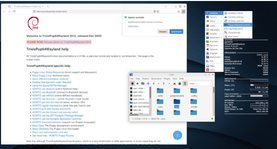
 ..:
..:
 .
.




Wir verwenden essentielle Cookies, damit diese Website funktioniert, und optionale Cookies, um den Komfort bei der Nutzung zu verbessern.
Siehe weitere Informationen und konfiguriere deine Einstellungen