Problem mit Python

nachtpult

Member
Themenstarter
Registriert
6 Juni 2011
Beiträge
478
Tach Leute,
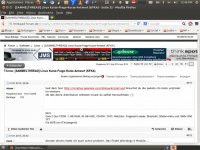
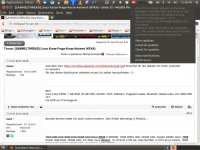
sagt mal, ich hab mir irgendeinen Bug eingefangen, muss mit Phyton zu tun haben.
Screenshot from 2013-02-05 12:46:32.jpgScreenshot from 2013-02-05 12:46:59.jpg
Das System ist mein X61s mit Ubuntu 12.10 und Gnome 2.
Was kann das sein? Hat jemand eine Idee?
Die Suche hat mich nicht wirklich weitergebracht.
 
Eh.. aber apt-get -f install meckert doch noch immer wegen den Paketen oder? oO
 
Code:
The following packages were automatically installed and are no longer required:
  gimp-help-common gimp-help-en gir1.2-gdata-0.0 gir1.2-goa-1.0
  gir1.2-totem-1.0 gir1.2-totem-plparser-1.0 gir1.2-ubuntuoneui-3.0
  libasprintf0c2:i386 libaudiofile1 libbabl-0.1-0 libblas3gf libesd0
  libgfortran3 libgif4:i386 libgmime2.6-cil libgnome-media-profiles-3.0-0
  libgomp1:i386 liblapack3 liblapack3gf libmx-1.0-2 libmx-bin libmx-common
  libtotem0 libubuntuoneui-3.0-1 libyelp0 python-numpy python3-brlapi
  python3-crypto python3-httplib2 python3-louis python3-oauthlib
  python3-pyatspi2 python3-speechd timidity timidity-daemon wine-gecko1.4:i386

Und wenn ich auf das Teil draufklick steht auch was von "set PYTHONVERBOSE for traceback" im Text...
Vl ist es iwas von Phyton?
 
Entschuldige, aber ich weiss mit dem Text echt GAR NICHTS anzufangen, wusste daher auch nicht, welchen Teil ich davon googeln soll. Danke schon mal!
 
Ich kann dir aber leider nicht sagen wo die pyc Dateien liegen sollen.

Code:
locate pycache
oder ggf
Code:
locate pycache | grep update
helfen da bestimmt weiter.


Im verlinkten Bugreport steht jedenfalls noch, dass man versuchen soll "python3-gi" neu zu installieren.
 
Omg da findets aber einen Haufen..
Code:
sudo apt-get install --reinstall phyton3-gi
Reading package lists... Done
Building dependency tree       
Reading state information... Done
E: Unable to locate package phyton3-gi
Reinstall haut nicht hin, findet nix..
 
Sch***e..
So, weiter gehts:
Code:
sudo apt-get install --reinstall python3-gi
[sudo] password for jonas: 
Reading package lists... Done
Building dependency tree       
Reading state information... Done
The following packages were automatically installed and are no longer required:
  gimp-help-common gimp-help-en gir1.2-gdata-0.0 gir1.2-goa-1.0
  gir1.2-totem-1.0 gir1.2-totem-plparser-1.0 gir1.2-ubuntuoneui-3.0
  libasprintf0c2:i386 libaudiofile1 libbabl-0.1-0 libblas3gf libesd0
  libgfortran3 libgif4:i386 libgmime2.6-cil libgnome-media-profiles-3.0-0
  libgomp1:i386 liblapack3 liblapack3gf libmx-1.0-2 libmx-bin libmx-common
  libtotem0 libubuntuoneui-3.0-1 libyelp0 python-numpy python3-brlapi
  python3-crypto python3-httplib2 python3-louis python3-oauthlib
  python3-pyatspi2 python3-speechd timidity timidity-daemon wine-gecko1.4:i386
Use 'apt-get autoremove' to remove them.
0 upgraded, 0 newly installed, 1 reinstalled, 0 to remove and 1 not upgraded.
Need to get 0 B/206 kB of archives.
After this operation, 0 B of additional disk space will be used.
(Reading database ... 214892 files and directories currently installed.)
Preparing to replace python3-gi 3.4.0-1ubuntu0.1 (using .../python3-gi_3.4.0-1ubuntu0.1_amd64.deb) ...
Error in sitecustomize; set PYTHONVERBOSE for traceback:
EOFError: EOF read where not expected
Unpacking replacement python3-gi ...
Setting up python3-gi (3.4.0-1ubuntu0.1) ...
Error in sitecustomize; set PYTHONVERBOSE for traceback:
EOFError: EOF read where not expected
Error in sitecustomize; set PYTHONVERBOSE for traceback:
EOFError: EOF read where not expected
Processing triggers for libc-bin ...
ldconfig deferred processing now taking place


Und beim autoremove Versuch:
Code:
sudo apt-get autoremove
Reading package lists... Done
Building dependency tree       
Reading state information... Done
The following packages will be REMOVED:
  gimp-help-common gimp-help-en gir1.2-gdata-0.0 gir1.2-goa-1.0
  gir1.2-totem-1.0 gir1.2-totem-plparser-1.0 gir1.2-ubuntuoneui-3.0
  libasprintf0c2:i386 libaudiofile1 libbabl-0.1-0 libblas3gf libesd0
  libgfortran3 libgif4:i386 libgmime2.6-cil libgnome-media-profiles-3.0-0
  libgomp1:i386 liblapack3 liblapack3gf libmx-1.0-2 libmx-bin libmx-common
  libtotem0 libubuntuoneui-3.0-1 libyelp0 python-numpy python3-brlapi
  python3-crypto python3-httplib2 python3-louis python3-oauthlib
  python3-pyatspi2 python3-speechd timidity timidity-daemon wine-gecko1.4:i386
0 upgraded, 0 newly installed, 36 to remove and 1 not upgraded.
After this operation, 85.4 MB disk space will be freed.
Do you want to continue [Y/n]? y
(Reading database ... 214891 files and directories currently installed.)
Removing gimp-help-en ...
Removing gimp-help-common ...
Removing gir1.2-gdata-0.0 ...
Removing gir1.2-goa-1.0 ...
Removing gir1.2-totem-1.0 ...
Removing gir1.2-totem-plparser-1.0 ...
Removing gir1.2-ubuntuoneui-3.0 ...
Removing libasprintf0c2:i386 ...
Removing timidity-daemon ...
 * Stopping TiMidity++ ALSA midi emulation...                            [ OK ] 
Removing init.d conffile /etc/init.d/timidity ...
Removing timidity ...
Removing libesd0:amd64 ...
Removing libaudiofile1:amd64 ...
Removing libbabl-0.1-0:amd64 ...
Removing libblas3gf ...
Removing python-numpy ...
Removing liblapack3gf ...
Removing liblapack3 ...
Removing libgfortran3:amd64 ...
Removing libgif4:i386 ...
Removing libgmime2.6-cil ...
Removing libgmime2.6-cil from Mono
Removing libgnome-media-profiles-3.0-0 ...
Removing libgomp1:i386 ...
Removing libtotem0 ...
Removing libmx-1.0-2:amd64 ...
Removing libmx-bin ...
Removing libmx-common ...
Removing libubuntuoneui-3.0-1 ...
Removing libyelp0 ...
Removing python3-brlapi ...
Removing python3-oauthlib ...
Error in sitecustomize; set PYTHONVERBOSE for traceback:
EOFError: EOF read where not expected
Removing python3-crypto ...
Error in sitecustomize; set PYTHONVERBOSE for traceback:
EOFError: EOF read where not expected
Removing python3-httplib2 ...
Error in sitecustomize; set PYTHONVERBOSE for traceback:
EOFError: EOF read where not expected
Removing python3-louis ...
Error in sitecustomize; set PYTHONVERBOSE for traceback:
EOFError: EOF read where not expected
Removing python3-pyatspi2 ...
Error in sitecustomize; set PYTHONVERBOSE for traceback:
EOFError: EOF read where not expected
Removing python3-speechd ...
Error in sitecustomize; set PYTHONVERBOSE for traceback:
EOFError: EOF read where not expected
Removing wine-gecko1.4:i386 ...
Processing triggers for doc-base ...
Processing 1 removed doc-base file...
Registering documents with scrollkeeper...
Processing triggers for ureadahead ...
ureadahead will be reprofiled on next reboot
Processing triggers for man-db ...
Processing triggers for libc-bin ...
ldconfig deferred processing now taking place
Processing triggers for gconf2 ...
 
Zuletzt bearbeitet:
Sei froh, dass Du nicht phaeton eingegeben hast, sonst würde jetzt noch ein Auto fehlen...
 
Ja, Python sieht kaputt aus.

Dann mach doch mal genau das was es sagt.

Code:
export PYTHONVERBOSE && [COLOR=#000000]sudo apt-get install --reinstall python3-gi[/COLOR]

Und dann her mit dem output
 
Hey kommt, ich bin kein Linux Poweruser, ich bin nur zufriedener Benutzer von einem schnellen und stabilen System! =)
Code:
export PYTHONVERBOSE && sudo apt-get install --reinstall python3-gi
[sudo] password for jonas: 
Reading package lists... Done
Building dependency tree       
Reading state information... Done
0 upgraded, 0 newly installed, 1 reinstalled, 0 to remove and 1 not upgraded.
Need to get 0 B/206 kB of archives.
After this operation, 0 B of additional disk space will be used.
(Reading database ... 211204 files and directories currently installed.)
Preparing to replace python3-gi 3.4.0-1ubuntu0.1 (using .../python3-gi_3.4.0-1ubuntu0.1_amd64.deb) ...
Error in sitecustomize; set PYTHONVERBOSE for traceback:
EOFError: EOF read where not expected
Unpacking replacement python3-gi ...
Setting up python3-gi (3.4.0-1ubuntu0.1) ...
Error in sitecustomize; set PYTHONVERBOSE for traceback:
EOFError: EOF read where not expected
Error in sitecustomize; set PYTHONVERBOSE for traceback:
EOFError: EOF read where not expected
Processing triggers for libc-bin ...
ldconfig deferred processing now taking place

 
Dann versuche es einmal mit dem Hinweis von Laberkopf zu askubuntu und lösche diese .pyc. Bedenke aber, dass es sich um eine versteckte Datei handelt (der Punkt vor dem Dateinamen). Solltest Du im Dateimanager danach suchen, mußt Du erst in der Ansicht die verborgenen Dateien anzeigen lassen, bevor Du die Suche bemühst.
 
Dann versuche es einmal mit dem Hinweis von Laberkopf zu askubuntu und lösche diese .pyc. Bedenke aber, dass es sich um eine versteckte Datei handelt (der Punkt vor dem Dateinamen). Solltest Du im Dateimanager danach suchen, mußt Du erst in der Ansicht die verborgenen Dateien anzeigen lassen, bevor Du die Suche bemühst.

Nein. .pyc ist die dateiENDUNG.

Das ist irgendwie kompiliertes Python. Deshalb brauche ich die Ausgabe von locate pycache um sagen zu können welche dieser Dateien in welchem Ordner gelöscht werden müssen. (Um dann hoffentlich irgendetwas zu erreichen)
 
Das ist nur ein Teil des Outputs. Der Rest wurde von deinem Terminal abgeschnitten.
 
In /dev/null :P

Mach mal

Code:
cd ~ && locate pycache > pycache.txt

dann ist der ganze Output in einer Textdatei names pycache.txt in deinem Home-Verzeichnis
 
  • ok1.de
  • thinkstore24.de
  • ok2.de - Notebook Computer Server
  • Preiswerte-IT - Gebrauchte Lenovo Notebooks kaufen

Werbung

Zurück
Oben