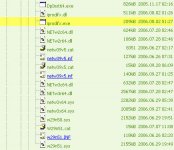
Original von boong
geht immer noch nicht.
Der richtige Treiber ist doch aber hier zu finden oder?
http://www-307.ibm.com/pc/support/site.wss/document.do?sitestyle=lenovo&lndocid=MIGR-67256
ja - dies ist der richtige Driver... hast Du den Readme auch mal gelesen...:
INSTALLATION INSTRUCTIONS
-------------------------
Notes:
- If your computer runs satisfactorily now, it may not be necessary to
update the software. To determine if you should update the software,
refer to the "Determining which version is installed" section.
- To determine if you should update the software, refer to the
"Summary of Changes" section.
There are following ways for installation.
(A) Automatic install
(B) Manual install
(C) Unattended install
(A) Automatic Install
Use ThinkVantage System Update or Software Installer.
ThinkVantage System Update or Software Installer will check
both the installed program on your ThinkPad and our Web site. Then
download and update the program automatically if a newer version
is available.
Refer to the ThinkVantage System Update or Software Installer
package for details.
(B) Manual Install
Refer to the Manual Install section.
(C) Unattended Install
Refer to the Unattended Install section.
MANUAL INSTALL
--------------
1. Start Windows Vista and logon with administrative privileges.
2. Double-click the driver package to extract it to your hard drive.
3. Click Start, select All Programs, select Accessories, then
click Run...
4. Specify IPRODIFX.EXE with the full path name where you extracted the
package in step 2, and click OK.
5. Follow the instructions on the screen.
6. Click Finish to reboot the system to complete the installation.
Notes:
1. This program is language independent and can be used with
any language system.
2. If you use ThinkVantage Access Connections;
a. Install ThinkVantage Access Connections version 4.3 or higher.
b. Before installing ThinkVantage Access Connections, it is
required to install the following software.
- Lenovo System Interface Driver for Windows Vista
version 1.00.0610 or higher
- ThinkPad Power Management Driver
version 1.41 or higher
- ThinkPad Hotkey Features
version 2.00.0611 or higher
und entsprechend diese Dinge so installiert...?