Du verwendest einen veralteten Browser. Es ist möglich, dass diese oder andere Websites nicht korrekt angezeigt werden. Du solltest ein Upgrade durchführen oder einen alternativen Browser verwenden.
T4xx (T400-450 ohne "T440s/T450s")T420: Günstigstes Lösung für Bluetooth LE
ich versuche gerade ein altes T420 unter Ubuntu zum Roboter-Programmieren (Wonder Dash) für meine Tochter herzurichten. Anscheinend ist aber die Bluetooth Unterstützung des T420 nicht ausreichend. Lt. https://www.makewonder.com/de/compatibility/ wird Bluetooth LE benötigt. Was ist die günstigste Lösung dies nachzurüsten?
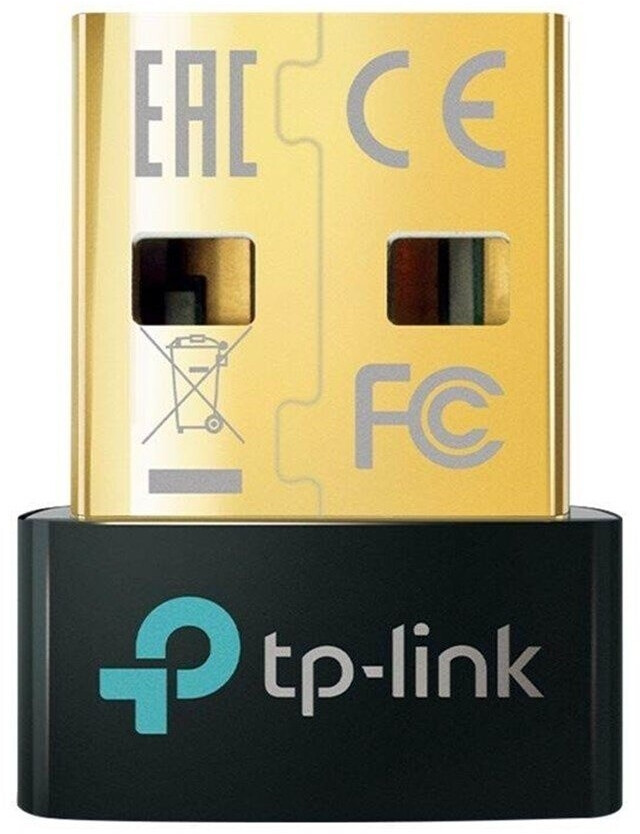
Den habe ich jetzt besorgt. Unter W10 wird er problemlos erkannt. Ubuntu live system vom USB Stick erkennt den Dongle anscheinend leider nciht direkt. Bei welche Distro hätte ich hier die besten Chancen?
So, jetzt auch vom betroffen Rechner direkt:
ubuntu@ubuntu:~$ rfkill list
0: tpacpi_bluetooth_sw: Bluetooth
Soft blocked: no
Hard blocked: no
1: tpacpi_wwan_sw: Wireless WAN
Soft blocked: no
Hard blocked: no
2: hci0: Bluetooth
Soft blocked: no
Hard blocked: no
3: hci1: Bluetooth
Soft blocked: no
Hard blocked: no
4: phy0: Wireless LAN
Soft blocked: no
Hard blocked: no
ubuntu@ubuntu:/var/log$ rfkill block 0
ubuntu@ubuntu:/var/log$ rfkill list
0: tpacpi_bluetooth_sw: Bluetooth
Soft blocked: yes
Hard blocked: no
1: tpacpi_wwan_sw: Wireless WAN
Soft blocked: no
Hard blocked: no
2: hci0: Bluetooth
Soft blocked: no
Hard blocked: no
4: phy0: Wireless LAN
Soft blocked: no
Hard blocked: no
Erfindet aber die Maus noch immer nicht. Stattdessen habe ich x-mal die Kopfhörer als "Disconnected" aufgeführt.
ubuntu@ubuntu:/var/log$ rfkill block bluetooth
ubuntu@ubuntu:/var/log$ lsusb
Bus 001 Device 001: ID 1d6b:0002 Linux Foundation 2.0 root hub
Bus 001 Device 002: ID 8087:0024 Intel Corp. Integrated Rate Matching Hub
Bus 001 Device 005: ID 04f2:b221 Chicony Electronics Co., Ltd integrated camera
Bus 001 Device 012: ID 2357:0604 TP-Link TP-Link Bluetooth USB Adapter
Bus 002 Device 001: ID 1d6b:0002 Linux Foundation 2.0 root hub
Bus 002 Device 002: ID 8087:0024 Intel Corp. Integrated Rate Matching Hub
Bus 002 Device 003: ID 18a5:0302 Verbatim, Ltd Flash Drive
Bus 002 Device 004: ID 0bdb:1911 Ericsson Business Mobile Networks BV F5521gw
ubuntu@ubuntu:/var/log$ rfkill list
0: tpacpi_bluetooth_sw: Bluetooth
Soft blocked: yes
Hard blocked: no
1: tpacpi_wwan_sw: Wireless WAN
Soft blocked: no
Hard blocked: no
4: phy0: Wireless LAN
Soft blocked: no
Hard blocked: no
11: hci0: Bluetooth
Soft blocked: no
Hard blocked: no
ubuntu@ubuntu:/var/log$ rfkill block bluetooth
ubuntu@ubuntu:/var/log$ lsusb
Bus 001 Device 001: ID 1d6b:0002 Linux Foundation 2.0 root hub
Bus 001 Device 002: ID 8087:0024 Intel Corp. Integrated Rate Matching Hub
Bus 001 Device 005: ID 04f2:b221 Chicony Electronics Co., Ltd integrated camera
Bus 001 Device 012: ID 2357:0604 TP-Link TP-Link Bluetooth USB Adapter
Bus 002 Device 001: ID 1d6b:0002 Linux Foundation 2.0 root hub
Bus 002 Device 002: ID 8087:0024 Intel Corp. Integrated Rate Matching Hub
Bus 002 Device 003: ID 18a5:0302 Verbatim, Ltd Flash Drive
Bus 002 Device 004: ID 0bdb:1911 Ericsson Business Mobile Networks BV F5521gw
ubuntu@ubuntu:/var/log$ rfkill list
0: tpacpi_bluetooth_sw: Bluetooth
Soft blocked: yes
Hard blocked: no
1: tpacpi_wwan_sw: Wireless WAN
Soft blocked: no
Hard blocked: no
4: phy0: Wireless LAN
Soft blocked: no
Hard blocked: no
11: hci0: Bluetooth
Soft blocked: no
Hard blocked: no
Nach längerem Warten (15min) findet er jetzt die Maus. Den Dash-Roboter kann ich leider erst morgen wieder testen.
Beitrag automatisch zusammengeführt:
Update: Den Dash findet Ubuntu auch. Auch nach einem Suspend funktioniert alles.
https://code.makewonder.com/blockly/ meldet dann leider bei Firefox und Chromium, dass ein "unsupported browser" verwendet wird. Wenn ich dann dort versuche den Dash zu koppeln kommt folgende Fehlermeldung: "This device in not supported Bluetooth or Bluetooth is not enabled."
ubuntu@ubuntu:/var/log$ rfkill block bluetooth
ubuntu@ubuntu:/var/log$ lsusb
Bus 001 Device 001: ID 1d6b:0002 Linux Foundation 2.0 root hub
Bus 001 Device 002: ID 8087:0024 Intel Corp. Integrated Rate Matching Hub
Bus 001 Device 005: ID 04f2:b221 Chicony Electronics Co., Ltd integrated camera
Bus 001 Device 012: ID 2357:0604 TP-Link TP-Link Bluetooth USB Adapter
Bus 002 Device 001: ID 1d6b:0002 Linux Foundation 2.0 root hub
Bus 002 Device 002: ID 8087:0024 Intel Corp. Integrated Rate Matching Hub
Bus 002 Device 003: ID 18a5:0302 Verbatim, Ltd Flash Drive
Bus 002 Device 004: ID 0bdb:1911 Ericsson Business Mobile Networks BV F5521gw
ubuntu@ubuntu:/var/log$ rfkill list
0: tpacpi_bluetooth_sw: Bluetooth
Soft blocked: yes
Hard blocked: no
1: tpacpi_wwan_sw: Wireless WAN
Soft blocked: no
Hard blocked: no
4: phy0: Wireless LAN
Soft blocked: no
Hard blocked: no
11: hci0: Bluetooth
Soft blocked: no
Hard blocked: no
Beitrag automatisch zusammengeführt:
Nach längerem Warten (15min) findet er jetzt die Maus. Den Dash-Roboter kann ich leider erst morgen wieder testen.
Beitrag automatisch zusammengeführt:
Update: Den Dash findet Ubuntu auch. Auch nach einem Suspend funktioniert alles.
https://code.makewonder.com/blockly/ meldet dann leider bei Firefox und Chromium, dass ein "unsupported browser" verwendet wird. Wenn ich dann dort versuche den Dash zu koppeln kommt folgende Fehlermeldung: "This device in not supported Bluetooth or Bluetooth is not enabled."









 lugin_init() System does not support csip plugin


