T480/s Klärung der M.2 NVMe-Kartenverbindung zum T480-Motherboard

piley

New member
Themenstarter
Registriert
27 März 2025
Beiträge
1
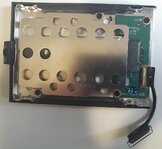
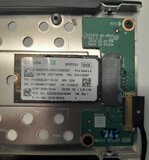
I recently purchased a used ThinkPad T480 and am not very experienced with computer components. I've read that the "thing" around the M.2 NVMe drive is called a caddy, but I'd like to understand more about it. Specifically:


  1. Why isn't the M.2 NVMe slot directly on the motherboard instead of using a caddy?
  2. Since I've heard that devices always run at the slowest speed in the chain, does the caddy affect performance compared to having the slot directly on the motherboard?
  3. The specifications state that some T480 models can have either an M.2 NVMe drive like mine or a 2.5" HDD/SSD with a SATA 6.0 Gb/s interface. I know SATA would be a downgrade, but is it possible to use a SATA drive simply by replacing the caddy?
  4. Does the M.2 slot run PCIe 3.0 x4 or PCIe 3.0 x2? From the specs, it appears to be PCIe 3.0 x4, while the WWAN slot uses PCIe 3.0 x2, correct?

I would be very grateful if you could help me clarify my doubts. Thank you :)
 

Anhänge

  • 20250325_143948.jpg
    20250325_143948.jpg
    193,3 KB · Aufrufe: 20
  • 20250325_153151.jpg
    20250325_153151.jpg
    165,2 KB · Aufrufe: 18
(1) Developed at old times where SATA-SSDs was cheaper as M.2-SSDs
(2) No
(3) Yes you can use SATA-SSD. But note a different cable is needed.
(4) The WAN-slot requires special M.2-SSDs. They run at x2-speed. (But you will no see any performance problem.)
 
To expand on @ATh's comment:
[*]Does the M.2 slot run PCIe 3.0 x4 or PCIe 3.0 x2? From the specs, it appears to be PCIe 3.0 x4, while the WWAN slot uses PCIe 3.0 x2, correct?
That's correct. The caddy uses an M-Key connector, which allows all four PCIe lanes to be connected. The WWAN slot uses a B-Key connector, which means that PCIe lanes 2 and 3 are not connected. Hence, only lanes 0 and 1 are available.
 
According to the HMM:

Some: SSD / SATA 6.0Gb/s, 2.5" wide, 7mm high (e.g. xxxGB SSD)
Some: M.2 SSD / PCIe NVMe, PCIe 3.0 x 4
Some: 128GB M.2 SSD / PCIe NVMe, PCIe 3.0 x 2

Which is only to say that those were the stock configurations, you can always up the ante, capacity-wise. Still dont know why sometimes 2TB seems to be the limit on some machines, especially when those are all UEFI capable systems.
 
Still dont know why sometimes 2TB seems to be the limit on some machines, especially when those are all UEFI capable systems.
You will find the answer in the PSREF:
Notes:
  • 1. The storage capacity supported is based on the test results with current Lenovo® storage offerings. The system may support larger storage as the technology develops.
Same happens with the M.2 2242 drives, where the limit started with 128GB and increased stepwise over 256GB to 512GB in year 2021.
 
  • ok1.de
  • thinkstore24.de
  • ok2.de - Notebook Computer Server
  • Preiswerte-IT - Gebrauchte Lenovo Notebooks kaufen

Werbung

Zurück
Oben